
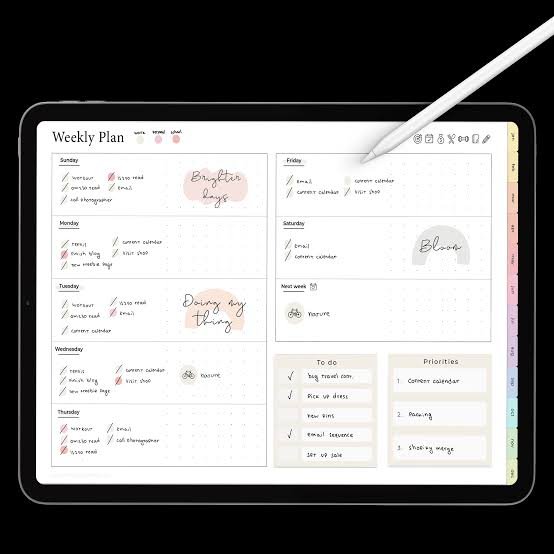

Digital planning has changed far beyond simple electronic calendars. Today, the best digital planners can mean a hyperlinked PDF, a handwriting-focused note app, or a complete task-management system.
That difference matters.
Some people want to write with a stylus. Others need reminders, recurring tasks, calendars, and automatic scheduling. Current 2026 comparisons show that planners now cover several distinct workflows rather than one standard format.
The right choice depends on how you actually plan your day.
What Counts as a Digital Planner?
A digital planner can take several forms.
The first type is the familiar PDF planner. You import it into an app such as Goodnotes or Notability. You can then write on pages with a stylus or your finger. Many modern PDF planners include hyperlinks between monthly, weekly, and daily sections.
The second type is a dedicated planning app.
These tools manage tasks directly. They may include calendars, reminders, habits, time blocking, or project management features.
Then there are flexible workspace tools.
Notion, for example, lets users build custom databases, calendars, task lists, and dashboards. Other platforms focus more heavily on handwritten planning or structured daily routines.
So, “digital planner” does not describe one product.
It describes an entire category.
Best Digital Planners by Planning Style
| Planning Style | Suitable Option | Main Strength |
|---|---|---|
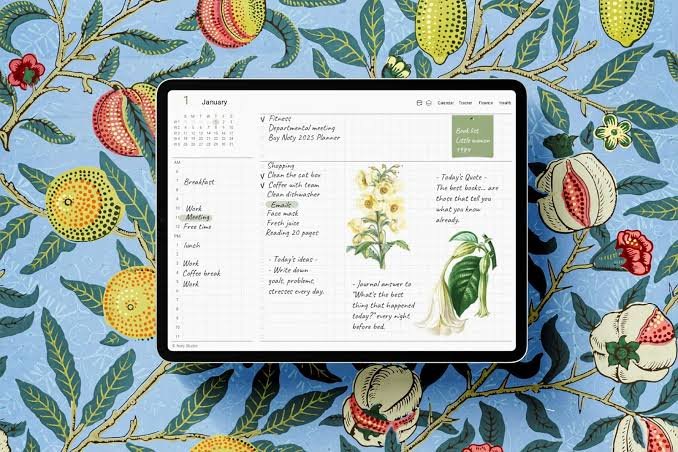
| Handwritten planning | Goodnotes + PDF planner | Stylus-friendly writing |
| Custom systems | Notion | Flexible databases |
| Fast task capture | Todoist | Quick task entry |
| Daily planning routine | Sunsama | Guided daily workflow |
| Tasks and habits | TickTick | Combined productivity tools |
| Team planning | ClickUp | Tasks and collaboration |
| Visual scheduling | Structured | Timeline-based planning |
Current 2026 comparisons identify these tools for different planning needs rather than treating one product as universally suitable.
Goodnotes and PDF Digital Planners
Goodnotes remains closely associated with handwritten digital planning.
The basic setup is simple. You choose a PDF planner and import it into the app. From there, you can write, highlight, draw, add stickers, and move between linked sections.
Goodnotes also has a Marketplace containing hundreds of planners and templates. Its 2026 roundup includes designs ranging from minimalist layouts to professional and self-care planners.
The biggest advantage is the paper-like experience.
You still write by hand.
You just remove the physical notebook.
A good PDF planner should have clear navigation. Hyperlinked tabs can make a large planner much easier to use. Poorly designed links, however, can make even an attractive planner frustrating.
Notion for Custom Digital Planning
Notion takes a completely different approach.
Instead of starting with fixed planner pages, users can build their own system. A planner might combine tasks, calendars, notes, projects, goals, and databases.
That flexibility appeals to people who dislike rigid templates.
You can create a simple daily dashboard. You can also build a complicated productivity workspace.
The trade-off is setup time.
A blank workspace can feel overwhelming. Users may spend more time designing their system than actually using it. Current comparisons also identify customization as one of Notion’s major strengths.
For that reason, Notion suits people who enjoy building their own workflow.
Todoist, TickTick, and Task-Focused Planning
Some users do not want decorative pages.
They want tasks handled quickly.
Todoist focuses heavily on fast task capture. Its natural-language entry can interpret dates, times, and recurring schedules from ordinary task descriptions.
TickTick takes a broader approach.
It combines tasks with features such as habits and a Pomodoro timer. That makes it useful for people who want several productivity functions inside one system.
These apps feel different from PDF planners.
There is less emphasis on handwriting.
There is more emphasis on execution.
That distinction can help you avoid choosing a planner simply because it looks attractive.
Sunsama, ClickUp, and Structured Planning
Sunsama focuses on intentional daily planning.
Its workflow encourages users to organize the day around tasks and available time. This approach can suit people who prefer a deliberate morning planning routine.
ClickUp operates on a broader scale.
It connects tasks, goals, calendars, and work management. That makes it particularly relevant when planning involves projects or teams rather than only personal activities.
Structured uses another visual approach.
Its timeline-style planning can make a busy day easier to scan. Instead of seeing only a task list, users can visualize when activities should happen.
Each approach solves a different problem.
That is why a simple “best planner” ranking can be misleading.
How to Choose the Best Digital Planner
Start with your device.
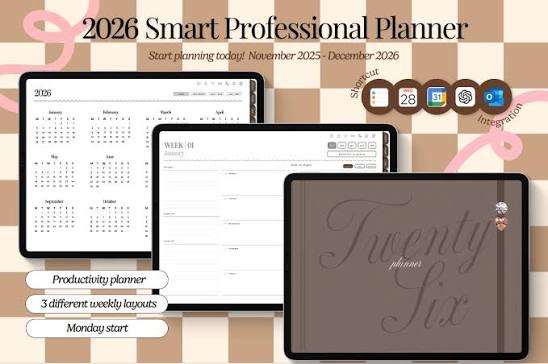
If you own an iPad and enjoy handwriting, a PDF planner inside Goodnotes may feel natural.
If you use multiple devices, an app-based system may make more sense.
Next, consider your planning behavior.
Handwriting lovers may prefer digital notebooks.
Task-focused users may prefer Todoist or TickTick.
Customization fans may enjoy Notion.
Professionals and teams may need a more comprehensive workspace.
Then consider navigation.
A beautiful planner becomes inconvenient when finding pages takes too long. Hyperlinks, search, calendar views, filters, and quick-entry features can dramatically change the everyday experience.
Finally, check the pricing model.
Some planners require a one-time purchase. Others use subscriptions. App prices and features can also change, so current pricing should always be checked before purchase. Recent 2026 comparisons specifically warn that older articles often contain outdated pricing information.
Free Digital Planners vs Paid Options
Free planners are useful for testing your workflow.
You can discover whether digital planning actually fits your routine before spending money.
Paid planners often provide more polished layouts, additional templates, hyperlinks, stickers, goal pages, and specialized sections.
However, more pages do not automatically mean better planning.
A 300-page planner may become harder to use than a simple weekly layout.
The better choice depends on consistency.
If a simple planner helps you plan every morning, it has already done its job.
What Makes a Digital Planner Worth Using?
A strong planner should reduce friction.
It should make your next action obvious.
Good navigation matters. Clear layouts matter. Device compatibility matters. Data access and export options also deserve attention, especially when using cloud-based planning systems.
The most useful planner is rarely the one with the longest feature list.
It is the one you keep opening.
Quick Takeaways
- Know your style: Choose handwriting, tasks, or customization first.
- Check compatibility: Confirm your device and app support.
- Test navigation: Hyperlinks and search can save significant time.
- Watch pricing: Check current subscription and purchase options.
- Keep it simple: A planner should reduce work, not create more.
Final Thoughts
The best digital planners now cover several very different needs.
Goodnotes works around handwritten PDF planning. Notion emphasizes customization. Todoist and TickTick focus on task management. Sunsama emphasizes daily planning, while ClickUp extends planning into broader work management.
There is no single format that suits everyone.
Your device, planning habits, workload, and preferred level of customization should guide the decision.
Start with the workflow.
Then choose the planner.
Disclaimer: This article is compiled from publicly available product information, current 2026 comparisons, and published reference sources. Features, availability, and pricing may change over time. The content is provided for educational and informational purposes only.
Read more:
5StarsStocks.com: The Story Behind the Stock Platform
